Titles, points and certificates, in one place
The second KennelTree film: titles as the registry prints them, progress toward the next title from the AKC page, results by hand, and certificates kept with the dog.
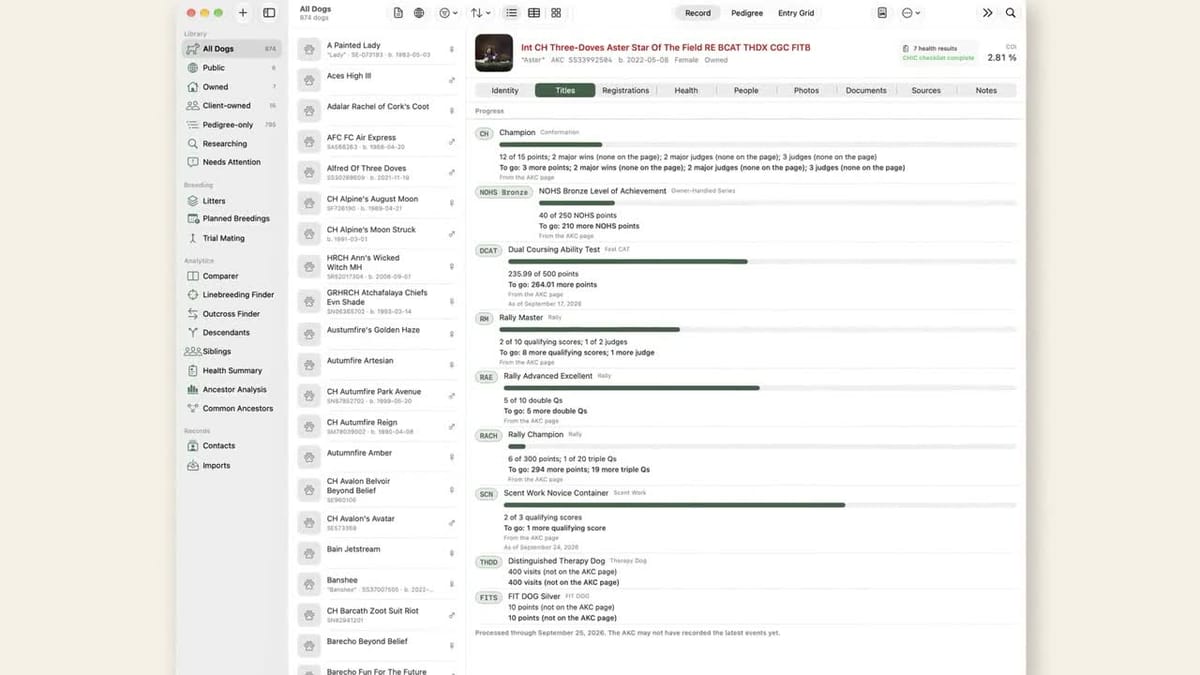
A dog's titles are the shortest summary of its career, and the AKC prints them in a fixed order for a reason. KennelTree reads that line the way the registry prints it, keeps every title on the record, and now shows the part that used to live in a spreadsheet: how far each dog is from the next one. This second short film, 57 seconds, shows the Titles tab at work on our own dogs.
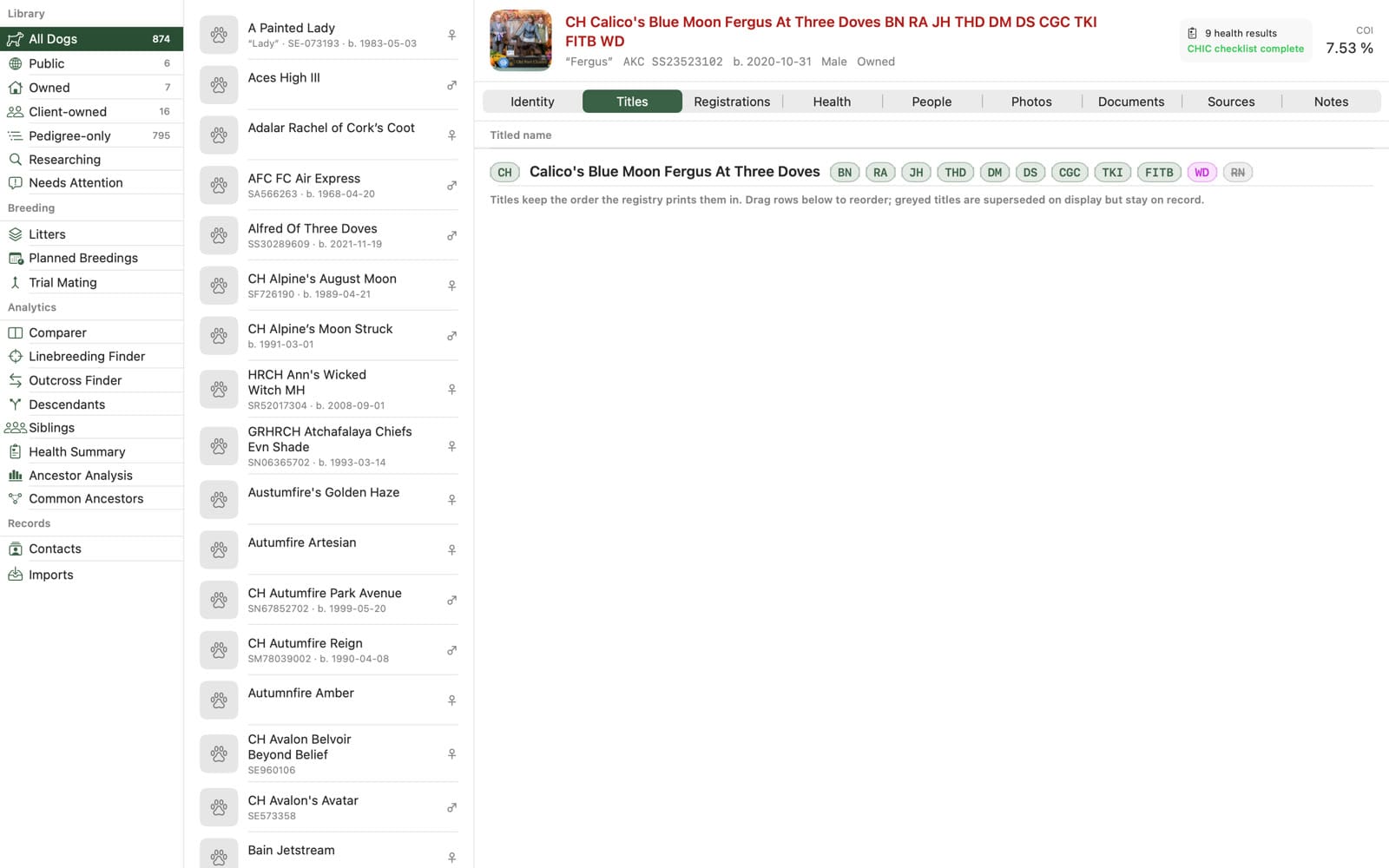
How far from the next title
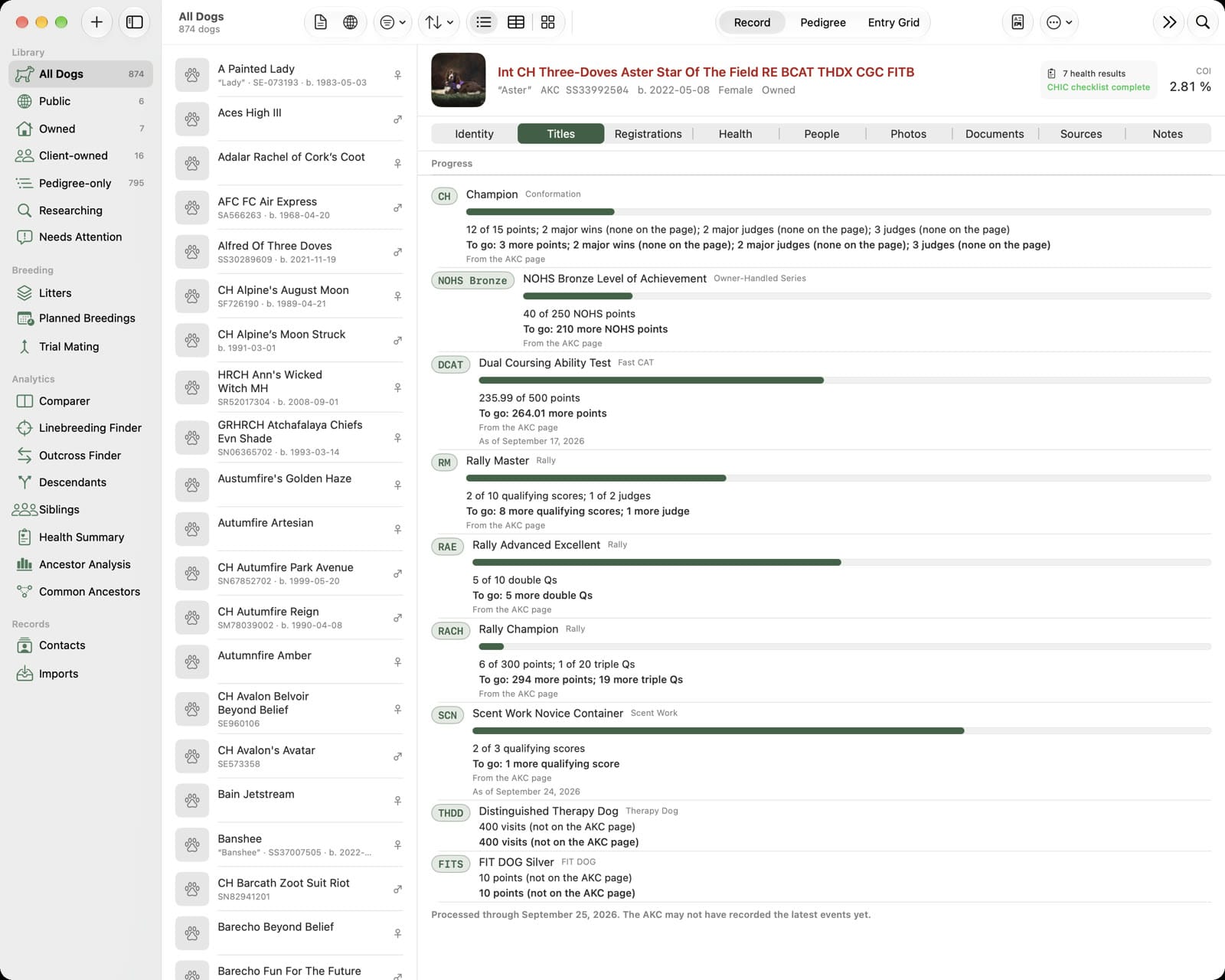
The AKC's Titles & Points page is the only place the registry shows a dog's running figures: championship points and majors, rally and obedience qualifying scores, double and triple Qs, Fast CAT points, NOHS points. Save that page as a PDF and drop it into KennelTree, and the Titles tab turns the figures into progress: a bar for each title the dog is working toward, what is counted, and what is still to come.
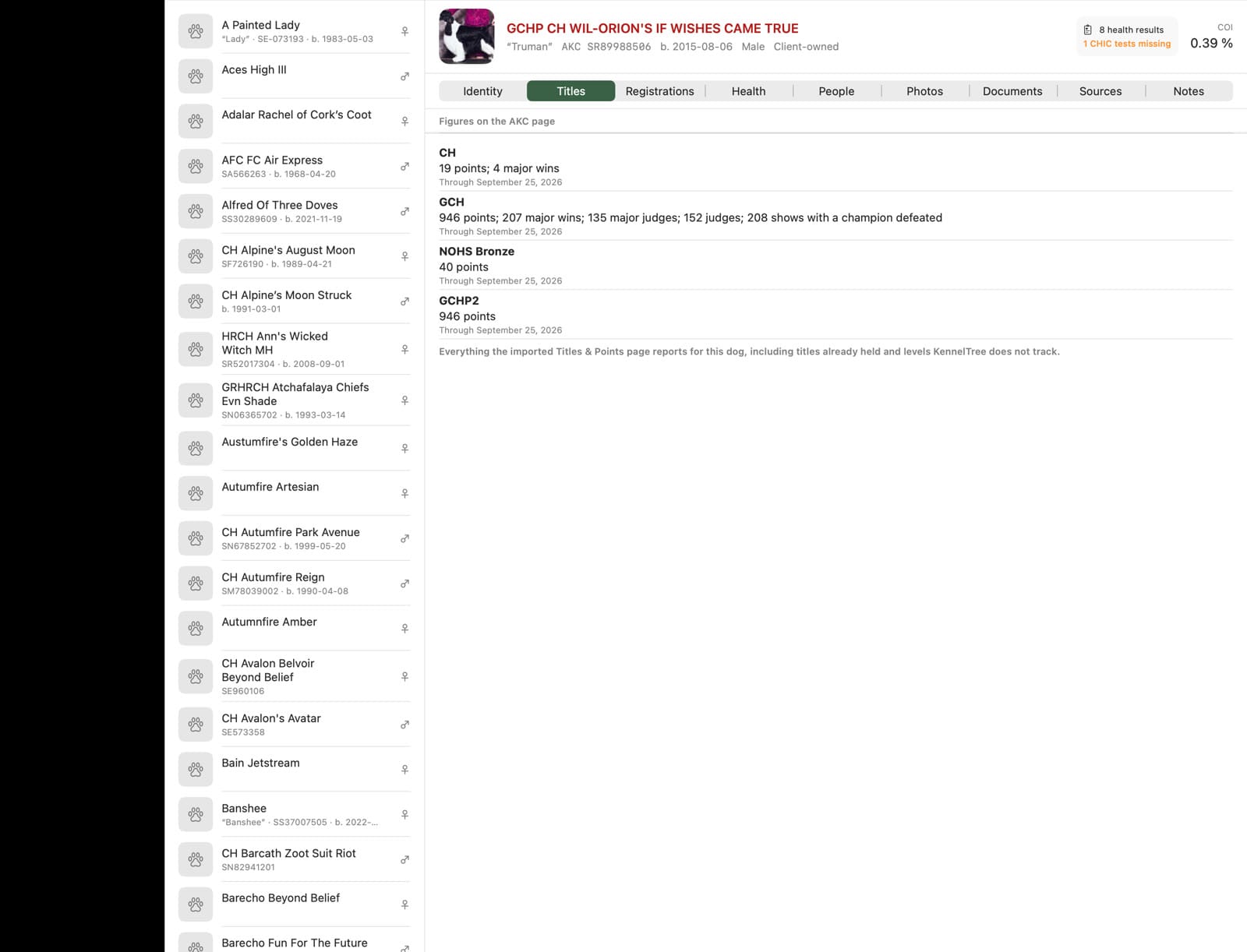
Lifetime totals stay on view too, with the date the AKC processed them, so a Grand Champion Platinum's points toward the next level are never buried.
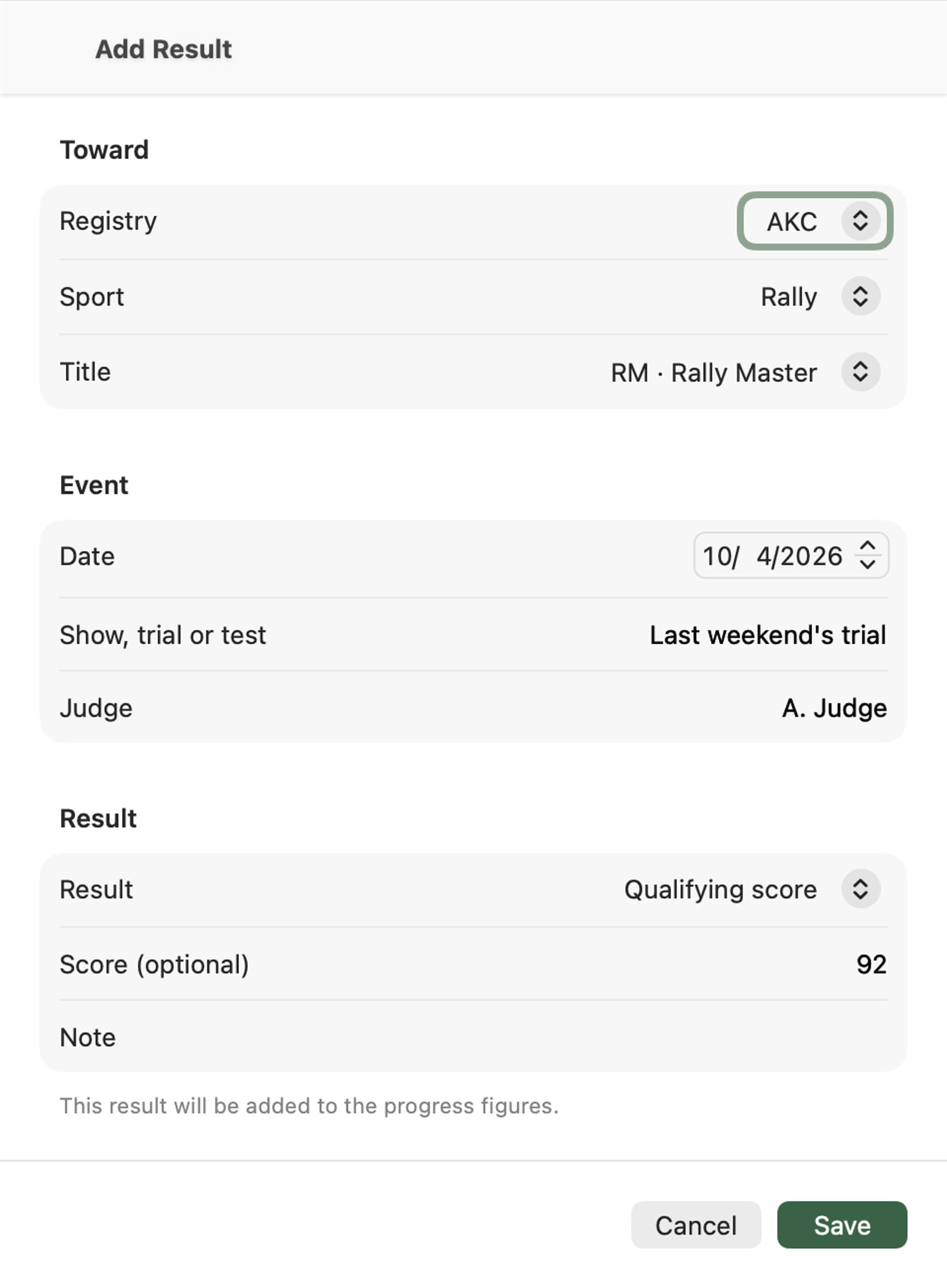
Results from last weekend
The AKC takes a few weeks to record a show. A result you know about already goes in by hand, with the date, the trial and the judge, and counts on top of the page's figures until the AKC catches up. Import a newer page and KennelTree works out which of your entries it now covers.
Certificates with the dog
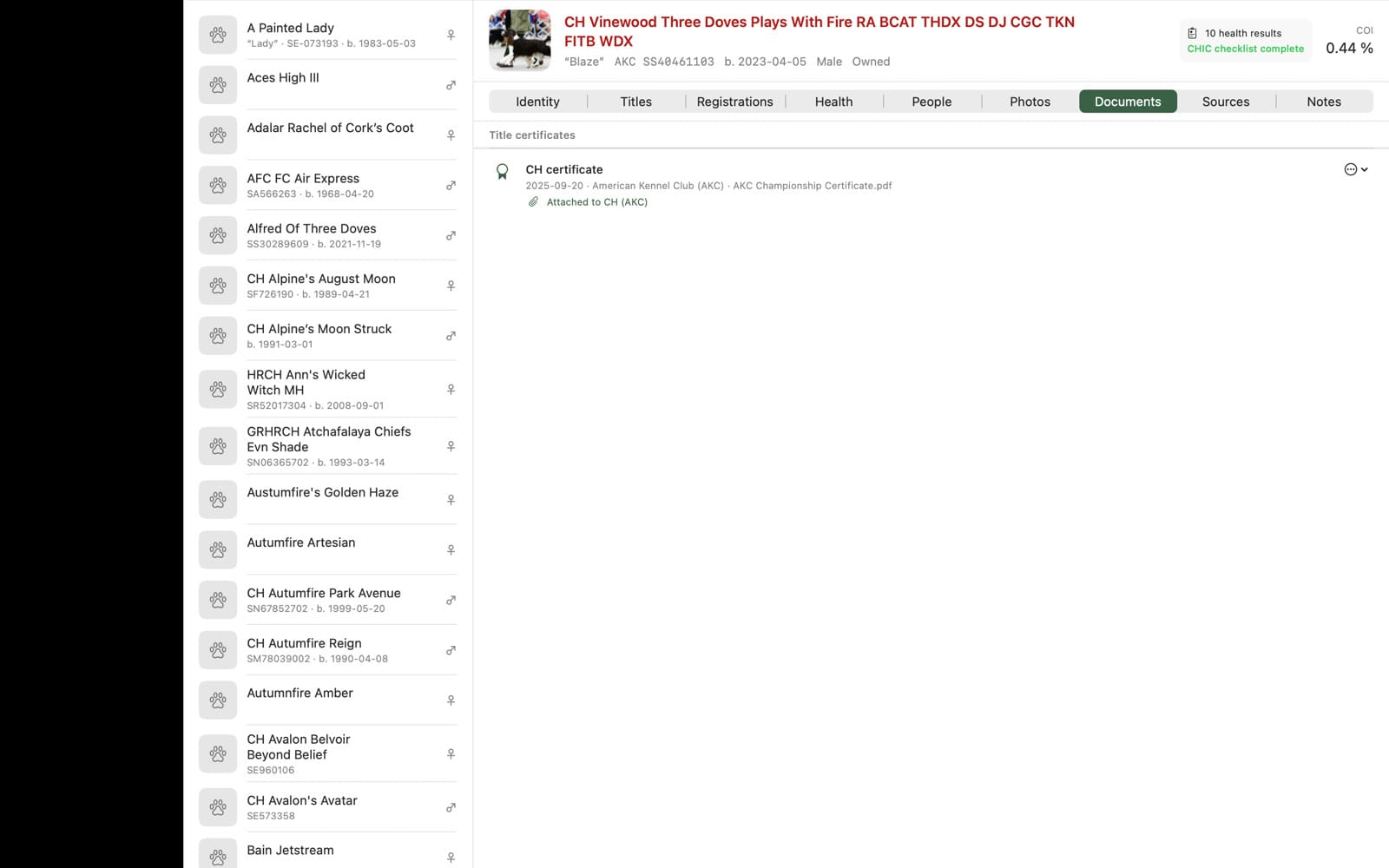
Title certificates, health reports and registration papers belong with the dog, not in a drawer. Drop a certificate onto the Documents tab and it is filed under the title it belongs to and kept with the record on every device.
KennelTree is in beta on TestFlight and coming to the App Store for Mac, iPhone and iPad. The introduction film is on YouTube; release news goes out from this site.